
HOW TO CREATE A WEBSITE
Learn how to create a website from scratch step by step tutorials by a web developer. Learn how to build your own website in a few easy steps with our easy to follow step by step Easysite tutorials. In 2024 its now possible for anyone that wants to get online can learn how to create a website can build a website their own. Our step-by-step guide makes it easy for everyone to create a beautiful, professional web presence using web-site-builders like Joomla, Drupal, WordPress and Easysite. No coding HTML or CSS knowledge needed. There are hundreds of ways to learn how to create a website online. Using web-site-builders, people just like you can create a personal web page, create an E-commerce store, create a blog or create a online business in fact you can build a website about anything thanks to software building platforms like WordPress, Joomla, Drupal and Easysite. They have everything you need to create a fully personalized, high-quality-web-site.
LEARN HOW TO CREATE A WEBSITE STEP 1 EASYSITE TUTORIALS
LET US MAKE YOUR WEBSITE USING THE BEST SITE BUILDER ONLINE EASYSITE

1. Contact us to build a website for the best great price
Contact us by email or mobile and lets talk about building your professional one of a kind custom design. Get your online business today.
2. We ask you a few questions about the type of site you want
Once you email us the content for your new Easysite web project we will create a custom design, build a website and add your content.

3. We build your site with Easysite. Fast hosting. Free domain
Tell the world all about your new online business with a custom design built on one of the best web page building platforms to learn how to build a website.
LEARN HOW TO BUILD YOUR OWN WEBSITE NO CODING KNOWLEDGE REQUIRED
 WATCH THE VIDEO AND SEE HOW EASY IT IS TO CREATE YOUR OWN WEBSITE WITH EASYSITE
ALL THE FEATURES YOU NEED TO GET YOUR BUSINESS ONLINE
Do you need to advertise your business online and not sure how to go about it? Maybe you would like to start selling online and need an online presence. Or build your own online store, maybe build a simple or professional-web-site. Then you need to try Easysite's web page building platform and get your business online. No bank details required. Try it FREE for 30 days. Use all the feature FREE and see if it's right for you. Click the above link to watch a short video on how easy it is to create your own website.

Sign up to try the web site builder FREE no banking details required
Sign up for FREE. No banking details required. You get 30 days to try all the features of the web-site-builder, lots of helpful web design tutorials.
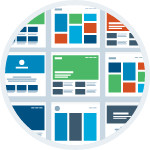
Select your look and style lots of themes to choose from
Changing your theme. Learn how to build a website - Upload a banner, logo, change background colors and lots more.

Adding content is easy no HTML or CSS knowledge required
No coding HTML or CSS coding knowledge required thanks to Easysite's web page building platform and easy to use editor that does all the coding for you.

Make an online store and sell your products online
Create an E-commerce online store. Setup an online store, Easysite is an easy-to-use online store builder. Everything you need to start selling online. E-commerce software included in web site builder.
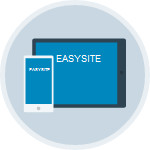
Responsive design. All themes look great on any device
Your new site will look fantastic on any device, laptops, and mobile devices. Easysite's themes are responsive and look great. Or web guys can even create a custom designed website for your business.

Once you make your first payment you get a FREE Domain name
Make your first payment and claim your free domain or add a domain you own and continue to build your own website. Need help? Follow our Easysite step by step tutorials on how to build a website.
HERE'S WHY YOU'LL LOVE US TO CREATE YOUR WEBSITE FOR YOUR BUSINESS USING EASYSITE
CHOOSE YOUR DESIRED SITE PLAN
And Let us worry about the rest!
CUSTOM WEBSITE DESIGN SERVICES
Starting from $ 199.00
- 5 Page Bespoke Website
- Free Domain Name When Using Easysite
- Super Fast Reliable Web Hosting
- Plenty Of Themes To Choose From
- Responsive Themes That Look Great
- Unlimited Storage For Your Content
- Easily Update Your Content Yourself
- Helpful Support When You Need It
Create a custom designed website theme. Tell us what you looking for and we will create a custom designed website and add content to 5 pages. After built use the editor to add more pages, pictures, create a blog and update the site yourself.
CUSTOM WEBSITE DESIGN SERVICES
Starting from $ 299.00
- 5 Page Bespoke Website
- Free Domain Name Using Easysite
- Super Fast Reliable Web Hosting
- Custom Site Designed Theme
- Responsive Web Design
- Unique One Of A Kind Design
- Unlimited Storage Space For Your Content
- Helpful Support If Required
Create a custom designed website theme. Tell us what you looking for and we will create a custom designed website and add content to 5 pages. After built use the editor to add more pages, pictures, create a blog and update the site yourself.
CUSTOM ECOMMERCE WEBSITE DEVELOPMENT
Up to 20 products from $ 499.00
- Free Domain Name When Using Easysite
- Super Fast Reliable Web Hosting
- eCommerce Shop Page
- Shopping Cart Software
- Secure Payment System
- Unique One Of A Kind Design
- Unlimited Storage Space For Your Content
- Helpful Support If Required
Custom E-commerce online store development, sell products directly from your online store. Your online store will have a custom design, fast reliable web hosting, (up to 20 items, 2 pages home and store). More than 20 items ask us for a quote. Update your site yourself once completed.
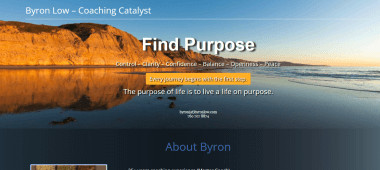
Some custom designed website's designed for our customers

EASYSITE WEB SITE BUILDER $19.95/MONTHLY NEVER PAY MORE, INCLUDES ALL THE FEATURES
EASYSITE WEBSITE STEP BY STEP TUTORIALS
- Easysite tutorials step by step guide - Learn how to create your own website with a web site builder
Follow our step by step Easysite tutorials and learn how to create a website and how to set up your new site. If you ask a web development company to create and publish a new project it could cost you a few hundred or even thousands of dollars. If you want to save money you could try and create your very own web design project but that means finding fast reliable web hosting, and a web site builder. Registering a domain, downloading and installing a web site builder like Joomla, Drupal or WordPress onto your hosting account. Pointing your domain at your site and lots more. Get something wrong and it won’t work. Easysite's web page building platform is so easy to use, why not follow our step by step Easysite tutorials, and learn how to build a website in a few easy steps.
Start with Easysites tutorials step by step guide on how to create a website.
- We will set-up and create a website for you
What if you could get a web developer that would show you how to build a website in a few easy steps. Don't have the time to learn how to create website then let us create a website for you. Yes we will create a custom designed website with a great one of a kind look. Add the content, using one of the best site builders on the web. Our custom design price start from $299-00. 2createawebsites.com has been custom designed by me using Easysite's web site builder and adding HTML and CSS codes. My name is Mike and I am part of the Easysite web development team. I can add a domain you already own or we’ll give you a free domain when you purchase your Easysite-web-site. The first 30 days is FREE. After or any time during your free trial you may make a payment. Easysite will cost you $19.95/monthly. No upgrades. You get a FREE domain, FAST reliable hosting from servers in the USA, Ecommerce software, and the Easysite web builder.
CUSTOM WEBSITE DESIGN SERVICES
Step by step tutorials on how to create your own website
Start by using one of the best web page builders on the web and learn how to build your own website using HTML and CSS. Create a custom design for your online presence Or contact us to create a website.
How to build your own website using HTML and CSS
Looking For That Unique Custom Designed Website Built To The Highest Standards At A Great Price?
If you are to busy running your business and need a custom designed website built then hit the below button and contact us. You get your own dedicated certified designer that will customize you a responsive design that's SEO friendly and will look great on Laptops, iPads and Mobile devices.
BUILD A WORDPRESS WEBSITE
HOW TO CREATE A WORDPRESS WEBSITE FOR BEGINNERS. WORDPRESS IS A FREE AND OPEN-SOURCE CONTENT MANAGEMENT SYSTEM THAT IS FREE TO USE
WordPress is a free and open-source content management system that is used to "create a WordPress website from scratch". It has to be constantly updated and hosted somewhere. Although it's free to use when you build a WordPress website you still need to search for the best WordPress hosting. WordPress is well-known for its ease of installation. Under most circumstances, installing WordPress on a hosting company is a very simple process and takes less than five minutes to complete.
Searching for the best web hosting for WordPress is important. Look for a WordPress hosting services company that has been online for at least five years. Choosing the best web hosting for WordPress means your site will load fast, you won't have downtime, you get great help with online chat and lots more.
Build your own WordPress website - Get web hosting that's fast, secure & Eco-friendly and one of the best WordPress Hosting Services. Green Geeks guarantee a 99.99% uptime.
Green Geeks Hosting ★ ★ ★ ★ ★


CREATE A WORDPRESS WEBSITE OR LEARN HOW TO BUILD A WORDPRESS ECOMMERCE WEBSITE. BUILD YOUR OWN WEBSITE FROM SCRATCH

Web Hosting that's Fast, Secure & Eco-friendly. Starting from $2.95 per month. No Hidden Fees & 30-Day Money Back Guarantee.
One Platform. Multiple Hosting Options. No matter your hosting requirements, Green Geeks platform will fit your needs.
- Lightning fast speed, security and expert support for WordPress powered websites.
- Start your online store easily with WordPress powered by Woo-Commerce.
- Manage multiple hosting accounts or resell web hosting to your clients on their web hosting platform.
- Screaming fast SSD-based VPS Hosting platform for your website or application.
Completely risk free with Green Geeks 30-day money back guarantee. 55,000+ Customers.
- WordPress software is downloaded and installed on your Green Geeks hosting account with just a single click of the mouse
- The hosting company even optimizes your site. This will ensure the best performance of your WordPress website
- Green Geeks platform allows you to take advantage of LiteSpeed's LS Cache for WordPress plugin, which enables your WordPress website to perform 4X faster
- Faster loading WordPress websites rank better on search engines and load faster
- When enabled, their platform will detect out-of-date versions and perform automatic updates to your WordPress core and plugins to keep your WordPress website secure.
- Keeping WordPress up to date helps prevent malware and hackers taking over your site
- Strengthen your search rankings by making sure your WordPress website is secure. Free SSL Certificate powered by Let's Encrypt to ensure HTTPS compatibility
- GreenGeeks offers a free domain name registration or transfer for the first year of your WordPress hosting service
- Quickly and easily start a WordPress website or WordPress blog. Choose a responsive theme and start to build a WordPress website with their Quick Launch On-boarding Wizard
- Launch your site faster with a beautiful homepage design. The Quick Launch Wizard helps you build a website using WordPress
- Need help? contact support
- Chat to support
- Call Support
- Open a ticket
- Website building can be fun and easy with a content management platform
Choosing A Domain Name
How To Choose A Domain Name For Your Business
Your domain is your site address and used to find your business website online. People often ask how to choose a domain name for their business, choosing the right domain name for your business is so important — Ultimately, it's how your audience will find and remember your business.
A “custom business domain” is one that includes your business brand name. This differs from a “generic” domain, which only contains words or phrases. For example, this website is about “Learning How To Create A Website” — The custom domain for my site is 2createawebsites.com — The custom name of my website is “Learn How To Create Your Own Website”. From the domain 2createawebsites.com you know what the topic of the website is. The domain includes my main keywords “Create” and “Website”. A keyword-rich domain name can give you an advantage over competitors who do not have similar domains. It's also a factor in Google's rankings.
Tips For Choosing A Domain Name
- Your domain should be your business name. If the domain is not available try to find a domain as close as possible. Example if I was looking for (www.webdesign) and it was taken I would try (www.mikeswebdesign), (www.bestwebdesign), (www.fastwebdesign). The keywords “web” “design” are included in the URL.
- Buy your domain name as soon as you decide on it
- Include your main keyword phrase you would like your business website to rank for when you build your own website
- Your domain is your site address and used to find your site on the web. If you build your own website for business it should be the business name, or as close to the business name as possible
- One of the first things you should think about when you create a website is what the domain name will be. If you already have a business and would like to learn how to build a website for your business the domain name should be the same as the business name. That way when people search for your business online they will hopefully find your business on Google.
The first thing you should think about when you create a website is what the domain name will be.
If you already have a business, learn how to build your own website and choose a domain name that relates to your business name. When people search for your business online they will hopefully find your business on Google.
How To Buy A Domain Name For Your New Site
How To Choose The Best Web Hosting Service Provider And Get A FREE Domain Name Included With Hosting
We recommend a WordPress-website-hosting service that gives you a FREE domain and FAST RELIABLE HOSTING to build your own WordPress website
-
55,000+ Customers trust and use the WordPress hosting provider we recommend to create a WordPress website —
- FREE DOMAIN WHEN REGISTERING
- 99.99% UPTIME GUARANTEE
- STARTING FROM $2.95 PER MONTH
- Try the WordPress hosting completely risk free, 30-day money back guarantee
- Create an online store easily with WordPress powered by WooCommerce
-
EASYSITE
Build a website using Easysite's website builder and get a FREE DOMAIN, FAST RELIABLE HOSTING and SHOPPING CART SOFTWARE
INTRODUCING EASYSITE
Free Web Site Builder - Free Website Builder Free For 30 Days
Create a website using Easysite and see for yourself how easy it is to create a website using Easysite is. If you are thinking of creating a website for your business and have no coding knowledge or web development experience, you should sign to Easysite's free web site builder and start to create a website in a few easy steps. Easysite helps people create their own website without having to learn code. It’s probably the easiest platform I’ve ever worked with, but it’s flexible enough to suit everyone from small business owners, bloggers, and freelancers to people wanting to create small or large online stores.
Easysite is a content management system (or web building platform) its a user-friendly platform for creating websites and managing your own online content.
FEATURES:
Learn how to create a website using Easysite. Click the button below, a new page will open. Fill in your name, email address, phone number and choose a unique password. Press the get started button. No credit or bank card is needed for the free 30 day trial. You get to use all the features the free trial website builder has, just like a paying customer. This gives you a good idea if Easysite is right for you as you get to try create your site before you buy. After the 30 days make a payment or your site will be canceled. (You will get a reminder by email before your site is canceled).
Free site builders start of free. But as you require more features you need to upgrade. Each upgrade means the monthly payment increases. So if you are thinking of using a free site builder because you can create a free website think again, you cannot create a professional website unless you upgrade. If you looking for the best site to build a website free try Easysite free for 30 days. Use all the features during your free trial. Price is set never pay more, includes eCommerce software so you can create a eCommerce site and sell products online.
However if you use a web builder like Easysite there is no upgrade. All the features are available FREE for 30 days. No payment required. No bank card information required.
Very easy to use. If you have used Microsoft word you will be able to use Easysite to create and develop your own blog or site. Any business, old or new will have to create an online presence eventually. They will have to create a website, a social media account, or another online footprint to keep up with their competition.
- You have 30 days to create a website using Easysite
- All the features are available during the free trial period
- Unlike most free site builders there is no upgrade
- No coding skill required
- Its everything you need to get an online presence
When you build a website using Easysite you get a free domain, fast reliable hosting, easy to use web page building platform software, shopping cart software and top level support, making it the ideal way to get an online presence. Learn how to build a website and sell online with your own online store from Easysite.